AI Coding
Claude Code vs Cursor: Choosing Your AI Coding Tool
Claude Code and Cursor solve different parts of AI-assisted coding. A pragmatic, dated comparison so you can match the tool to your actual workflow.
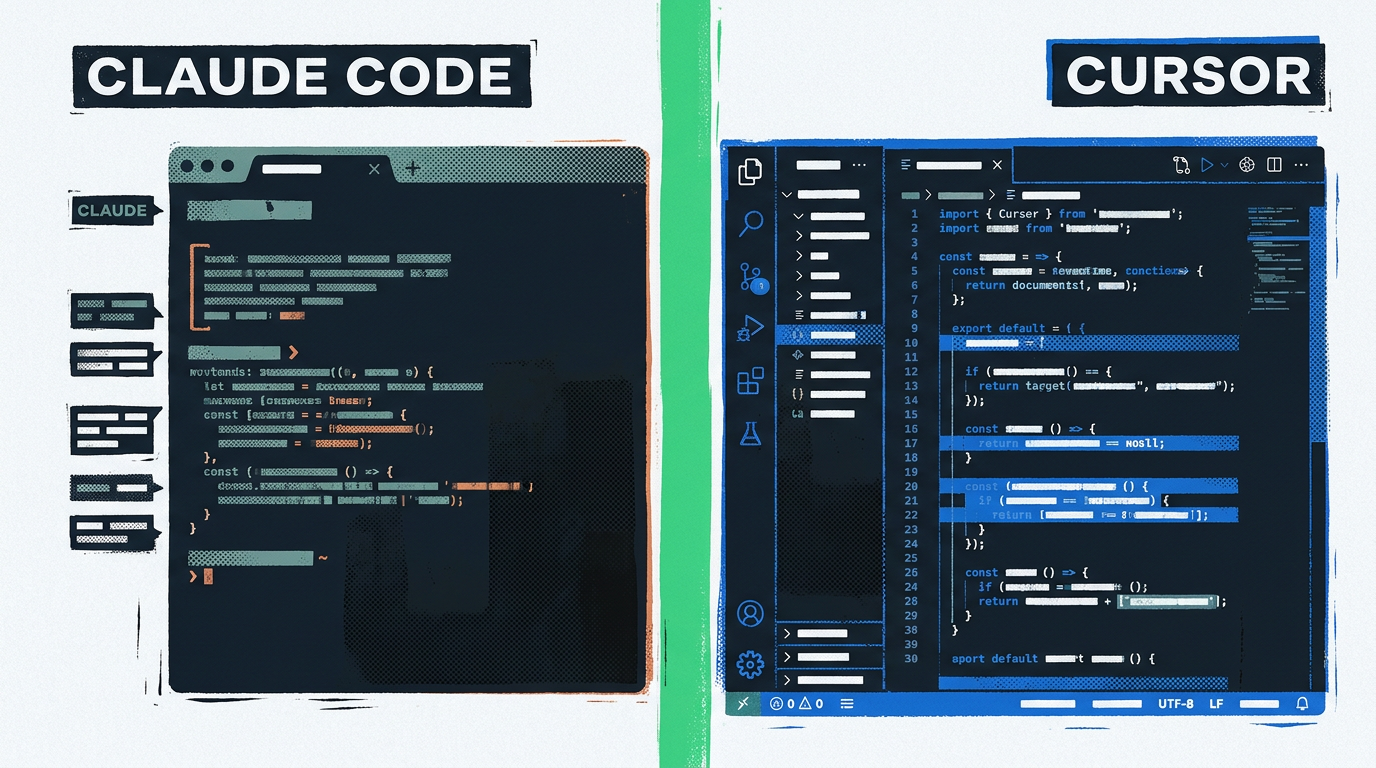
Both Claude Code and Cursor are evolving fast, and any comparison written today will need a refresh in a few months. This post reflects their state as of late May 2026 (May 27, 2026). Before you commit your team’s workflow to either tool, double-check current docs for feature parity, capability shifts week to week. With that out of the way: Cursor is the better fit when you live inside a code editor and want AI woven into every keystroke. Claude Code wins when you want an agent driving the terminal across a whole repo without you babysitting each file.
The short version: they are not really the same product. Cursor is a code editor. Claude Code is a terminal agent. Picking between them is mostly picking the surface you want AI to live on, not picking a smarter or dumber model.
What is Claude Code, actually?
Claude Code is Anthropic’s terminal-native coding agent. You install a CLI, point it at a repo, and it can read your files, edit them, run commands, run tests, and iterate on a task until it thinks it’s done. It runs inside your shell, not inside an editor window.
That framing matters. Claude Code is not a chat panel grafted onto your IDE. It’s closer to a coworker who has SSH access to your project directory and can drive it autonomously when you describe the work. You stay in your existing editor, Vim, VS Code, JetBrains, whatever, and let the agent operate alongside you in another pane.
The pricing is unusual too. Claude Code consumption ties into Anthropic’s Pro and Max subscription plans, and there are also API-billed usage paths for teams. The exact rate cards change often, so check the official Claude Code docs before budgeting. Treat any specific dollar figure you read online, including the ones in this post, as a snapshot, not a commitment.
What is Cursor, actually?
Cursor is a fork of VS Code with AI features stitched into the editor itself. You get tab-completion, an inline rewrite command, a chat panel with codebase awareness, and an agent mode that can make multi-file edits while you watch. Because it’s a real fork (not an extension), the AI is woven into the editing surface instead of sitting beside it.
Cursor is a subscription product. There’s a free tier with limits, a paid plan for individuals, and a business plan with admin and privacy controls. Models include offerings from Anthropic, OpenAI, and others, you can typically pick which one runs a given request. See the Cursor docs for the current model and plan matrix; both rotate frequently.
If you’ve used VS Code, you’ll be productive in Cursor inside an hour. That is part of the pitch: a familiar editor, same extensions, same keymaps, with AI features that feel like they belong instead of feeling bolted on.
Which one fits your workflow?
Here’s where the choice actually lives. The same task, say, refactoring a Kotlin module or migrating an old persistence layer, feels very different in each tool.
In Cursor, you open the file. You highlight a block. You hit the inline-edit key, describe the change, and watch the diff appear inside the editor. You accept, reject, or tweak. You stay in the loop on every change because the editor is the loop. This is great for surgical edits, learning a new codebase, refactors where you want to see each suggestion, and any UI-heavy work where you want a Compose preview pane or a Next.js dev server humming in the same window.
In Claude Code, you describe the work at a higher level, “migrate this module from AsyncTask to coroutines, run the tests, fix the failures”, and the agent goes off and does it. It opens files, edits them, runs your build, reads the output, and iterates. You review at the diff level afterward, not at the keystroke level. This is great for repo-wide chores, scripted tasks, things you can describe but don’t want to babysit, and anywhere your real work lives in the shell more than in a GUI.
Same model family, very different ergonomics. If you’re the kind of developer who feels naked outside a code editor, Cursor will feel right. If you already live in tmux with a build watcher on one side and a log tail on the other, Claude Code will feel right.
How do they handle context and the codebase?
Both tools support large project context, what the vendors describe as industry-leading context windows on the current Claude models, but they use that context differently.
Cursor builds an index of your codebase so its chat and agent features can reference symbols, files, and recent edits without you having to attach files manually. You can @ files, folders, or docs to pin them into a request. The retrieval is part of the editor experience and feels invisible most of the time.
Claude Code, being a terminal agent, reads files on demand. You can point it at directories, give it search tools, let it run grep and git log, and it pulls in what it needs. The model is the same, the retrieval style is different. For a small repo, neither approach matters much. For a large monorepo with many languages and modules, the kind of project where you might already be thinking about repository boundaries and module structure, the difference shows up. Cursor optimizes for “the right file is one keystroke away.” Claude Code optimizes for “the agent will find it, you keep typing.”
Lab Notes, context is not the same as understanding. A bigger window doesn’t make either tool magically understand a poorly bounded module. If your project is a tangle, both tools will produce tangled suggestions. Tighten the boundaries first.
How autonomous can the agent be?
This is the axis that’s moving fastest. As of May 2026, current versions of both tools support multi-step agent behavior, reading files, making edits across multiple files, running shell commands, reading tool output, iterating. The autonomy ceiling is similar; the autonomy default is not.
Claude Code’s posture is agent-first. You hand it a task, you expect it to make decisions. The defaults lean toward “do the work, show me the diff.” It will ask before destructive shell commands (and you can tighten those rules), but the assumption is that you delegated.
Cursor’s posture is editor-first with an explicit agent mode. The defaults lean toward “show me each change as you propose it.” Even in agent mode, the editor surfaces the changes inline, and you accept or reject in the familiar VS Code review flow.
Neither is more “powerful”, the model behind them can be the same. The difference is how much you want to watch each step. If you treat AI suggestions like a junior pair programmer whose work you check line by line, Cursor’s defaults match how you think. If you treat AI more like a contractor you brief and review at the end, Claude Code’s defaults match how you think.
What about privacy and enterprise concerns?
Both vendors have moved fast on this. Both offer paid tiers with no-training-on-your-code guarantees, and both have enterprise plans with SSO, audit logs, and admin controls. The current specifics, data residency, model-route guarantees, indexing behavior, are exactly the kind of thing that changes between releases, so verify against each vendor’s privacy and security docs before signing anything.
A few things that are unlikely to change:
- Anything you let the agent run is real. If you give Claude Code shell permission, it can
rm -rf. If you let Cursor agent mode edit broadly, it can edit broadly. Scope the permissions to match the trust level. - Secrets in your repo are visible to the model. If you wouldn’t paste a file into a chat window, audit before you point either tool at it.
- Open source dependencies are still your responsibility. Neither tool will validate licensing or security advisories for you. That’s a CI job.
This is the same boundary discipline that mattered before AI tools, it just matters more now because the surface area is larger. The same principle that applies when you’re migrating off a legacy serialization helper applies here: name the boundary first, then choose the tool.
So which one should you pick?
Don’t pick one. Most developers I’d recommend run both, because they cover different workflows.
Pick Cursor as your primary if:
- Your day is mostly inside an editor.
- You want AI features inline with your keystrokes.
- You’re learning a new codebase and want to see each suggested change.
- You do a lot of UI work where the editor preview matters.
- Your team is already on VS Code and you want zero ramp-up.
Pick Claude Code as your primary if:
- Your day is mostly in a terminal.
- You want to delegate multi-step tasks rather than co-edit.
- You run a lot of scripted or repo-wide work, refactors, migrations, test sweeps.
- You’re comfortable reviewing diffs after the fact instead of during.
- You already have a strong build, test, and lint pipeline the agent can lean on.
Run both if:
- You do a mix of close-quarters editing and broad chores.
- You want the model’s autonomy when you delegate and the editor’s intimacy when you don’t.
- The combined cost fits the budget.
The honest answer is that the comparison “Claude Code vs Cursor” is a bit of a category error. It’s like asking whether you should pick a code editor or a shell. Most working developers use both, and the AI versions of each are similar enough, pick by surface, not by hype.
A short checklist before you commit
- Verify current pricing and plan limits on each vendor’s site, both move often.
- Confirm the privacy posture you need (no-training, data residency, audit logs) on the plan you’re considering.
- Trial each tool on the same real task in your own repo. Toy demos lie.
- Check how well each tool integrates with the rest of your stack, your test runner, your linters, your CI.
- Re-evaluate every six months. This is a moving target.
Related reading
- Kotlin Project Structure for Beginners, clean module boundaries that make AI-assisted refactoring safer.
- Modern Android Persistence Options, the kind of architecture decision both tools speed up but don’t make for you.
- ObjectSerializer Legacy Alternatives, the kind of migration where Claude Code’s agent mode earns its keep.
Sources
- “Claude Code”, Anthropic, official product page.
- “Claude Code documentation”, Anthropic, official CLI documentation, pricing paths, and tool permissions.
- “Cursor”, Cursor, official product page.
- “Cursor documentation”, Cursor, official editor documentation, plan matrix, and model routing.